
Claimly App: What It Does, Features and How to Use It
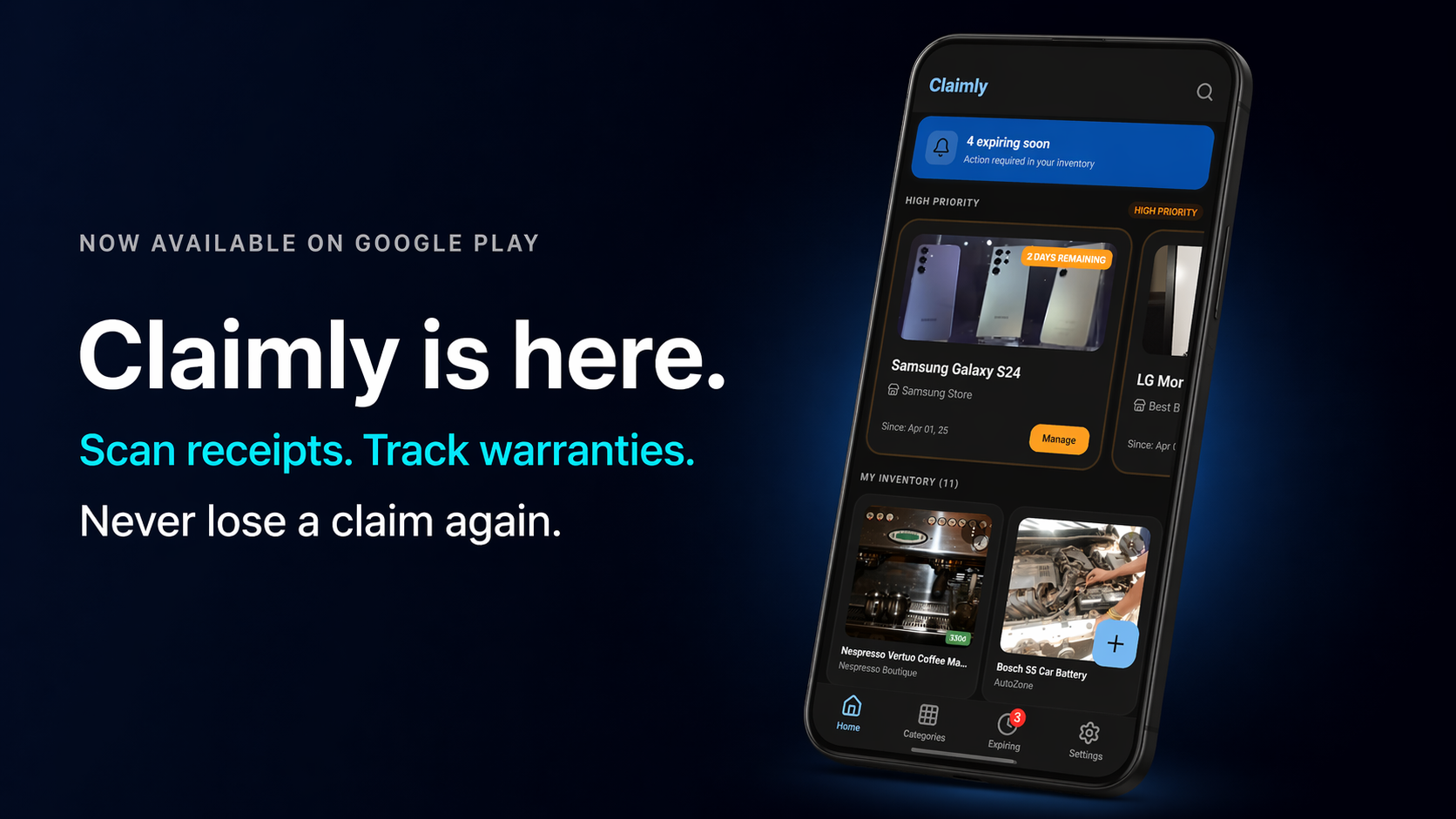
Claimly is a free Android app that keeps your receipts and warranties in one place: you scan a receipt, AI fills in the product, store, date, and price, and Claimly tracks each warranty with a countdown and an alert before it expires. It needs no account, keeps your inventory on your phone, and has been on Google Play since April 2026.
Below is what it does, every feature, how to set it up, and what the free and Premium versions include.
In this guide:
- Claimly at a glance
- What Claimly does
- Key features
- How to use Claimly
- Free vs. Premium
- Frequently asked questions
Claimly at a Glance
| Detail | Claimly |
|---|---|
| What it is | Receipt scanner, warranty tracker, and personal inventory |
| Platform | Android 7.0 or later, on Google Play |
| Price | Free to download, with ads and optional in-app purchases |
| Account | Not needed |
| Offline | Everything except receipt scanning |
| Latest version | 1.1.4, released September 9, 2026 |
| Developer | FusionCore Apps |
What Claimly Does
You buy a laptop. It comes with a one-year manufacturer warranty, a 90-day store return policy, and an extended protection plan you paid extra for. You put the receipt in a drawer and tell yourself you will organize it later.
Eighteen months pass. The laptop stops charging. You dig through that drawer and find nothing.
The extended plan still covered it. The product was defective. But without proof of purchase and a record of the coverage dates, there is nothing you can do. Claimly is built for that moment: each receipt, warranty, and document sits on the product it belongs to, and the app tells you before a warranty runs out — while you can still file a claim.
Key Features
Receipt Scanning
Point your camera at a printed receipt and Claimly reads it with AI, filling in:
- Product name
- Store name
- Purchase date
- Total amount
You review the form, correct anything it got wrong, and save. Scanning needs an internet connection; you can also add a product by hand.
Multiple Warranties per Product
Most products come with layered coverage that is easy to lose track of:
| Warranty Type | What It Covers |
|---|---|
| Manufacturer warranty | Defects from the brand, typically 1–2 years |
| Store warranty | Return or exchange period from the retailer |
| Extended coverage | Any protection plan you purchased separately |
Claimly tracks all three on a single product entry, each with its own start date, end date, and countdown timer. This is the feature the app was built around.
Status badges use color to tell you what is happening at a glance — green for active coverage with plenty of time, amber for warranties expiring soon, and red for anything already expired.
Expiration Alerts
Claimly sends push notifications before a warranty ends:
- 30 days before expiry — enough time to decide whether to renew or file a claim
- 7 days before expiry — a clear reminder to act
- 1 day before expiry — final warning before coverage ends
The home screen Priority Dashboard shows your most time-sensitive products at the top with a direct action button. Premium users can customize the notification schedule. Since version 1.1.4, warranty alerts and general app reminders use separate notification channels, so you can mute the reminders and keep the alerts.
Product Inventory with Attachments
Each product entry is a complete file. Attach:
- Product photos
- Scanned receipts or uploaded PDF invoices
- Warranty card photos
- PDF manuals or service agreements
Everything you would need to file a claim is in one place. Products are organized by categories — Electronics, Home, Appliances, Clothing, Vehicles, and more — and the full inventory is searchable and filterable.
Backup and Restore
Added in version 1.1.4: export your products, warranties, receipts, and photos to a single .zip file, then restore them on a new phone. It works without an account, so switching phones no longer means starting over.
No Account, and What Leaves Your Phone
Claimly requires no account and no sign-in, and your inventory is stored on your device. Browsing it, managing warranties, and viewing attachments work fully offline. Scanning a receipt needs an internet connection because the image may go to an image-recognition service to read the text; our privacy policy says receipt images are not stored on our servers and only the extracted fields are saved, on your device. The camera is only used when you choose to scan.
The free version shows ads, so some data does leave the phone. Google Play’s Data safety section for Claimly lists photos, purchase history, app interactions, crash logs and diagnostics, and device IDs among the data that may be collected or shared, for purposes that include app functionality, analytics, and advertising, with data encrypted in transit, and the listing says there is no way to request deletion (checked October 16, 2026). Read it and our privacy policy before you install.
Dark Mode by Default
Claimly ships with a dark interface as the default, with color-coded status badges that are easy to read in any light.
How to Use Claimly
- Download Claimly from Google Play.
- Open the app — no account or setup required.
- Tap Add Product, then scan a receipt or enter the details by hand.
- Add your warranty dates (store, manufacturer, extended) and let Claimly calculate the countdowns.
- Attach receipt photos, PDFs, or warranty card images.
- Turn on notifications so the expiry alerts reach you.
- Export a backup from time to time, especially before you change phones.
When something breaks, open the product, check which warranty still covers it, and follow our guide to the warranty claim process. Everything the claim form asks for is already attached.
Free vs. Premium
These are the plan limits in the current version of the app (1.1.4). Premium is a monthly or yearly subscription. When you reach a free limit, you can also watch a short ad to get past it that one time.
| Feature | Free | Premium |
|---|---|---|
| Products | Up to 15 | Unlimited |
| Receipt scans | 5 per month | Unlimited |
| Warranty alerts (30/7/1 day) | Included | Included |
| Attachments per product | Up to 5 | Unlimited |
| Custom categories | Up to 3 | Unlimited |
| Dark mode | Included | Included |
| Custom alert schedule | — | Included |
| Ad-free | — | Included |
Google Play lists Claimly’s in-app purchases at $2.99 to $24.99 per item (checked October 16, 2026).
Who It’s For
Electronics buyers — phones, laptops, TVs, and headphones often have overlapping manufacturer and store warranties. Know exactly what is covered and until when.
Homeowners and renters — appliances, furniture, and HVAC equipment all come with warranties that are easy to forget.
Families — keep every household product in one inventory organized by category.
Small business owners — track warranties on equipment, tools, and devices without spreadsheets or paper files.
Anyone who has ever paid for a repair that should have been covered.
Launch Notes: Claimly on Google Play
Claimly started as a closed beta in March 2026 (the beta announcement) and moved to production on Google Play in April 2026 — how the 12-tester requirement shaped that timeline. It launched with receipt scanning, multiple warranties per product, expiry alerts, and attachments. The first big addition, backup and restore, arrived in version 1.1.4 in September 2026.
Still on the list from launch: cross-device sync and CSV or PDF export of your inventory, plus whatever users ask for most. If you have a feature request, send it through our contact page.
New to the idea of scanning receipts for warranties? Our guide to how a warranty scanner works covers it, and the Claimly app page has screenshots.
Frequently Asked Questions
Is Claimly free?
Yes. Claimly is free to download on Google Play. The free version shows ads, and Premium is an optional in-app purchase that removes ads and lifts the free limits.
Does Claimly work offline?
Yes, except for receipt scanning. Browsing your inventory, managing warranties, and opening attachments work without a connection; scanning a receipt needs internet.
Do I need an account to use Claimly?
No. You open the app and start adding products. Backups are a .zip file you export and restore yourself, so switching phones does not need an account either.
Is Claimly available on iPhone?
No. Claimly is an Android app, available on Google Play for Android 7.0 and later.
Is this the same Claimly as the insurance claims apps?
No. Other, unrelated apps also use the name Claimly. This one is Claimly: Warranty & Receipts by FusionCore Apps, listed on Google Play as com.fusioncoreapps.claimly, and it tracks receipts and product warranties.
Get Claimly
Claimly is free on Google Play — no testing group, no waiting list, no account.
Also from FusionCore Apps: CartWise for grocery lists, Bible TPT for The Passion Translation, and Biblia TLA for Spanish Scripture.